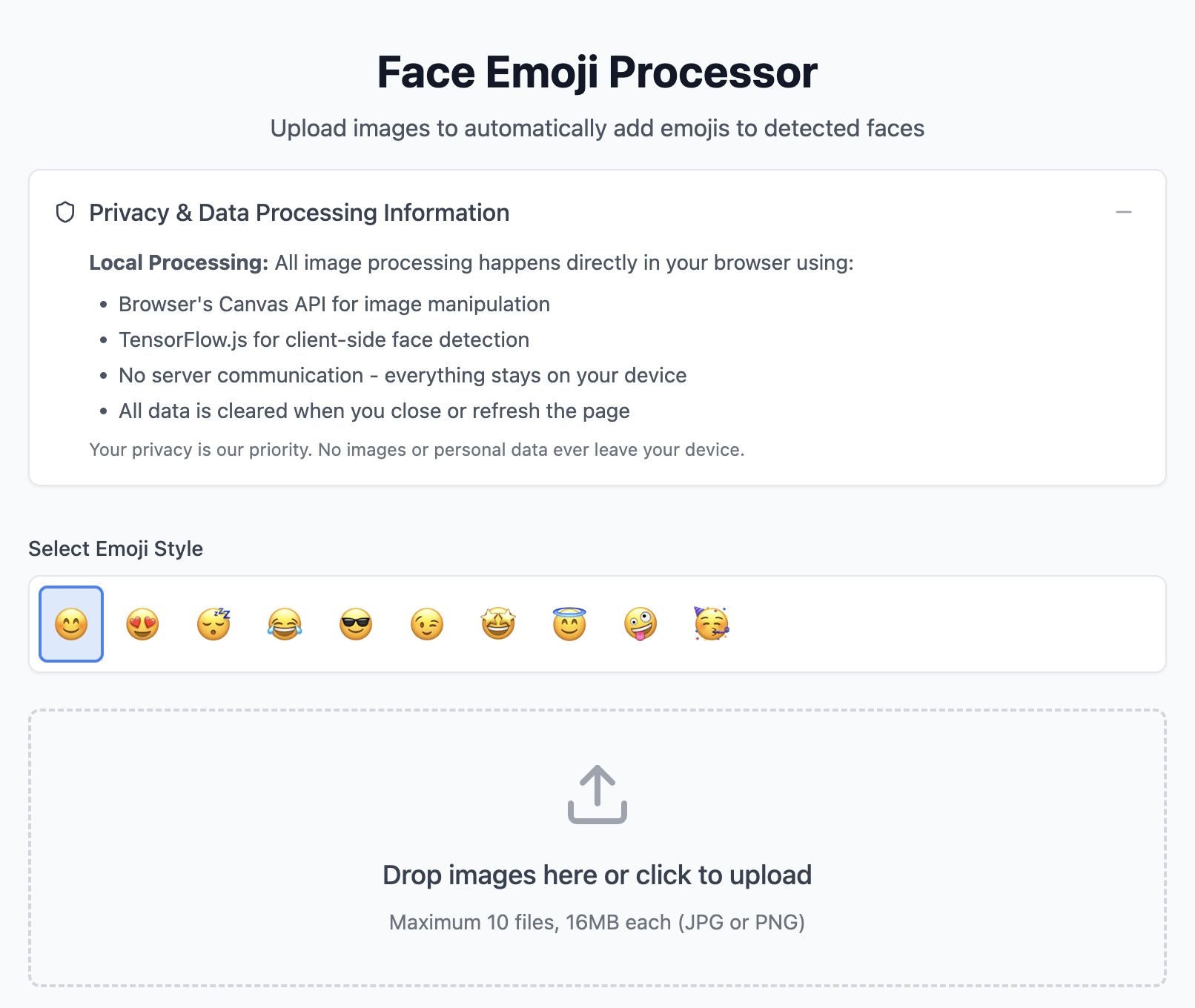
With a basic knowledge of coding and an interest in building solutions for work and life, I set out to use AI coding apps to build a face detector emoji app.
Follow along with my tool building efficiency experiment — and test the tool for yourself:
Why I Built a Face Detector Emoji App
In 2025 and beyond, privacy is a growing concern for parents when sharing photos of their children online.
While I personally don’t censor my child’s face on private social media, I’ve made a conscious choice to avoid featuring his face on my blog. This is both a privacy decision and an effort to prevent any form of child exploitation, even unintentionally.
I don’t want my blog’s engagement to revolve around my child’s face, nor do I want to feel pressured to share pictures of him for views. Many parents feel similarly, which is why I built a simple tool to automatically detect and cover faces in images with emojis.
✨ Try the Emoji Face Detector Web App >>
This app helps parents protect their child’s identity in public-facing content without requiring image editing skills.
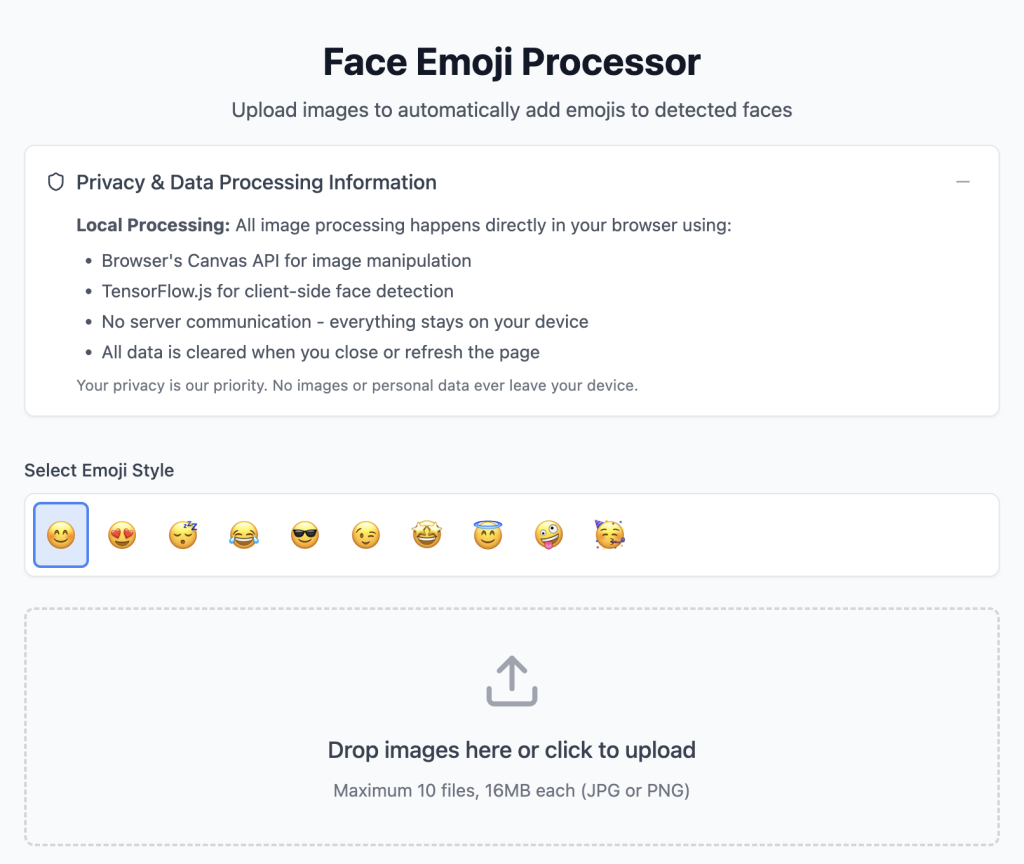
Since image processing happens locally in your browser, you have an extra layer of privacy compared to using similar mobile app solutions.
My Background in Coding
I have a background in front-end web design and development, though I don’t use that side of my brain on a daily basis.
Recently, I started learning Python via Coursera’s Python for Everybody specialization and I highly recommend it.
When I started this specialization, it was not with a specific goal in mind, but to reactivate my coding way of thinking. There are so many practical applications for understanding and using Python in my field of work.

While experimenting with AI-powered coding tools, I realized that I could use my basic existing knowledge of coding to build something useful for my own purposes:
An app that detects faces in images and overlays emojis on them.
This project was not just an efficiency experiment, but also a way to see how accessible app development has become in the AI age.
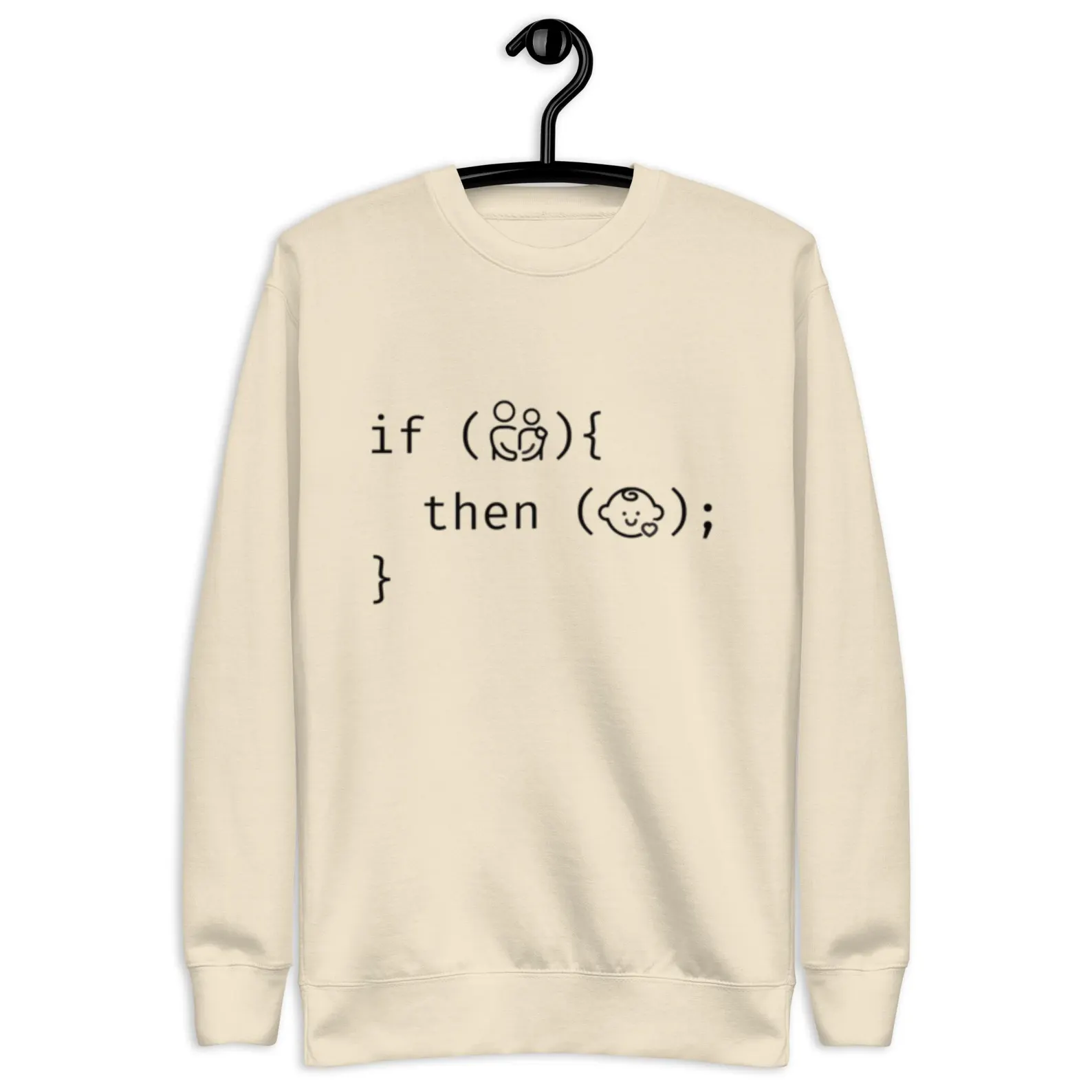
Are you a parent who codes (or know one)?
Shop “If this, then that” family matching styles:
How I Built the Face Detector Emoji App: Tools and Process
Choosing the Right Platform
I tried three AI coding tools throughout this project:
Notably, this was my first time using each solution.
Bolt is where I was most successful in building my ideal solution in the least amount of time.
v0 is a great AI coding tool for creating front-end user interfaces (like dynamic pricing calculators!), but I wasn’t able to get it to successfully build this app idea.
Replit is where I initially started this project but couldn’t seem to progress after a certain point, although I got very close to achieving my end goal.
It’s worth noting that the best version I built on Replit never worked as reliably as Bolt for my basic use case. Of course, by the time I was rebuilding my app idea on Bolt, I had benefitted from first working with it on Replit.
Moving forward, I will default to Bolt because it just “gets” me a little better than Replit, and the pricing is a lot more straightforward and inclusive.
Here’s Replit’s yearly pricing (by monthly cost), for reference:
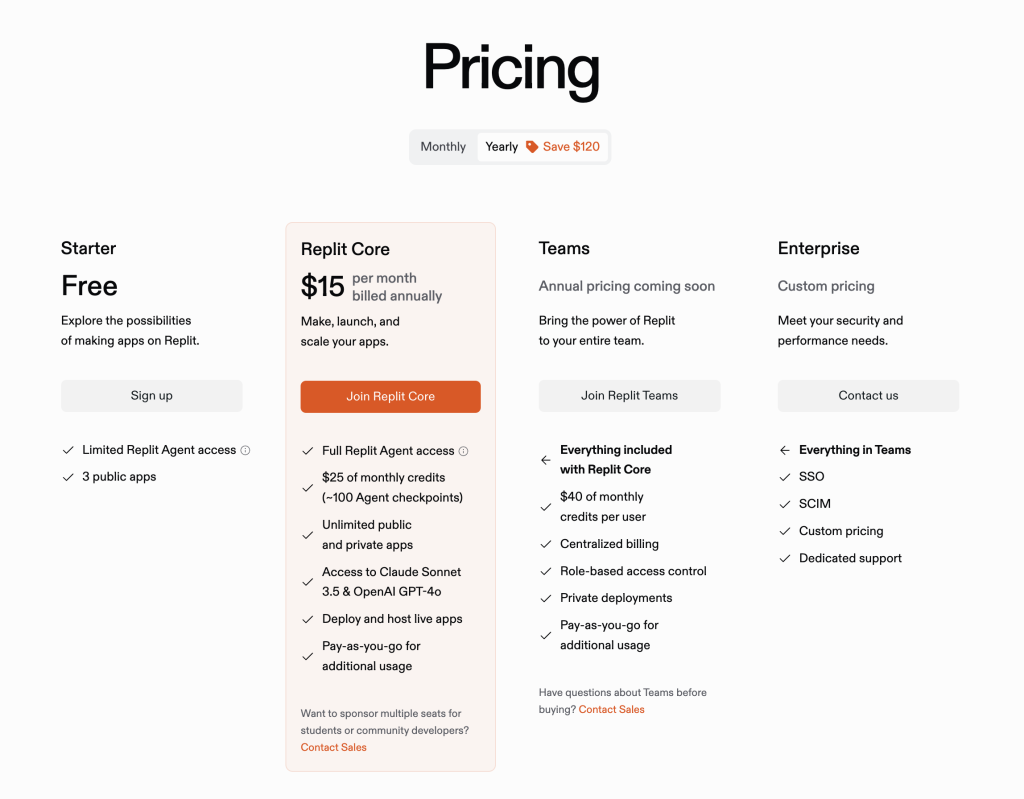
I found that with Replit, I was spending my monthly credits quickly, and it put me in a bit of a scarcity mindset in terms of testing ideas.
I definitely could’ve optimized my credit usage by taking more time to understand the cost associated with “Agent” versus “Assistant” tasks.
And here’s Bolt’s yearly pricing (by monthly cost), for reference:
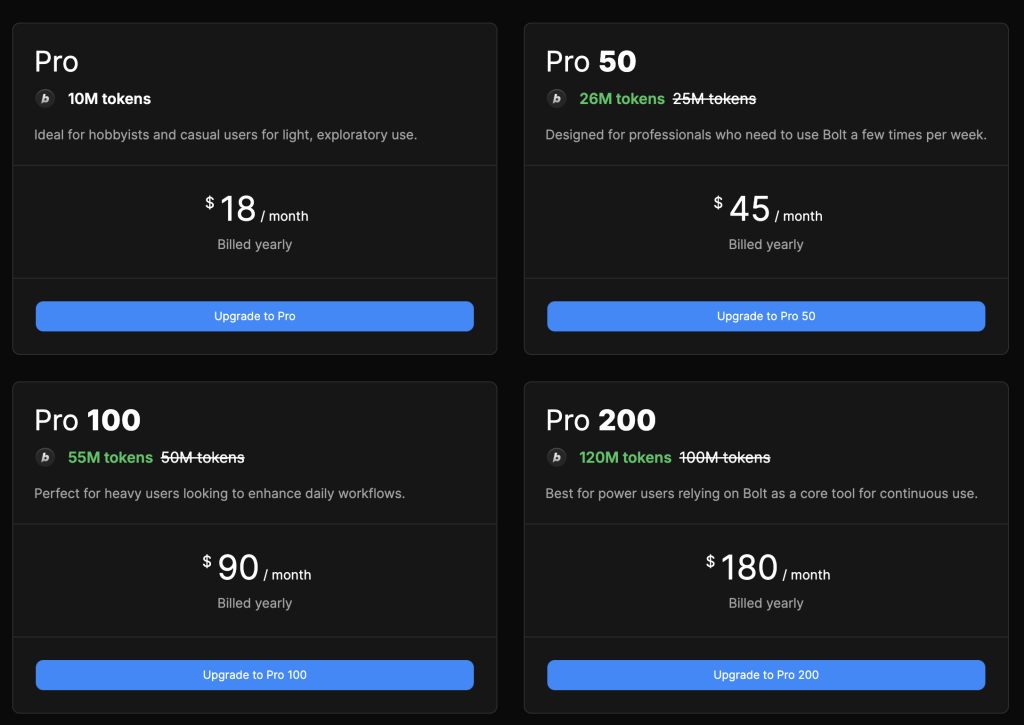
Many of these AI development tools have limited free plans and trials you can use to test before you invest.
Using AI to Build the App
Coming from my level of coding experience, I’d say that persistence and iteration are key when working with AI-powered development tools.
Here are the basics of my build process:
- Sharing your end goal in the initial prompt: “I want to build a tool that detects faces and applies emojis over them.”
- Iterating through AI’s suggestions and refining the logic before you build anything.
For example, when I started to build on Bolt, I asked it to describe the technologies it planned to implement.
It mentioned gaining webcam access, which was a red flag because this app only required an image upload mechanism. Rooting out this misunderstanding before building inevitably saved me from a lot of debugging and code conflicts later on. - Debugging for common issues (I still haven’t figured out how to auto-detect a face if the uploaded photo has been rotated) and ensuring the AI-generated code met privacy and usability goals.
It might sound cheesy, but success with AI coding tools at a basic level of coding knowledge is a factor of mindset.
Making progress and then plateauing because you hit a roadblock can be frustrating, so it’s important to not get sucked into that vicious cycle. Instead, take some time away from the project and come back to it when you have a fresh approach or tool to try.
Key Considerations in the AI Coding Process for My Face Detector Emoji App
When I started this project in Replit, I didn’t know exactly what features I wanted. But after sparring with it and hitting roadblocks, I became clear on necessities versus nice-to-haves.
So when I re-built on Bolt, I very clearly communicated these needs throughout the build process:
Privacy-Focused Design
As mentioned, the tool does not require webcam access.
Images are processed locally in the browser, meaning they are not stored or used to train AI.
Usability Features
The app needed to be easy to use and have automatic face detection. Otherwise, it’s not a better solution than manually adding emojis yourself.
I also wanted to make it so that users could choose different emojis to cover faces. A future enhancement could allow users to upload custom emojis.
Overcoming Face Detection Challenges
AI sometimes misidentifies faces or misses them altogether. To improve accuracy, I had to tweak detection tolerance levels. I asked Bolt to make tolerance level adjustments and log them for reference with each build.
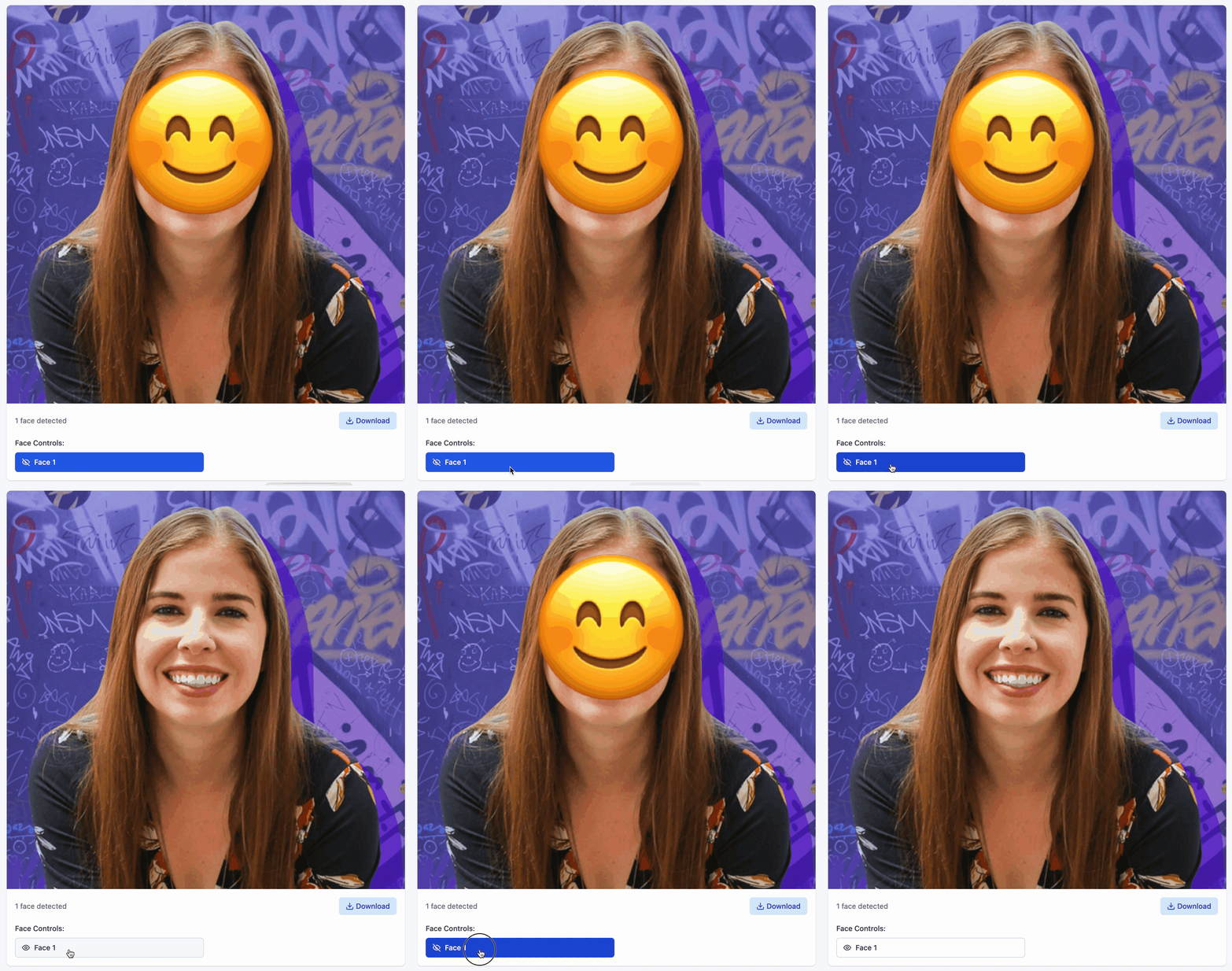
Because users may want to make their own tweaks (and because the combined face detection + emoji overlay process isn’t 100% perfect), I built a feature to manually add or remove face detection zones, which toggles the emoji face cover.
UI and Processing Logic
The user workflow involves uploading an image, processing it, and downloading the final version.
Initially, on Replit, I struggled with implementing a batch download feature (downloading multiple processed images at once). This may have been related to a setup that involved paginating through bulk uploaded images, which I believe threw off what the app thought I wanted to download.
In developing the app, I also worked on scaling and positioning emojis correctly so they fully cover faces.
Is It Worth Building Tools Like This Instead of Using Existing Apps?
At first, I wondered if building this app was more efficient than simply using Canva or Snapchat to add emoji overlays manually. However, those tools require extra steps compared to my ideal automated solution shared here.
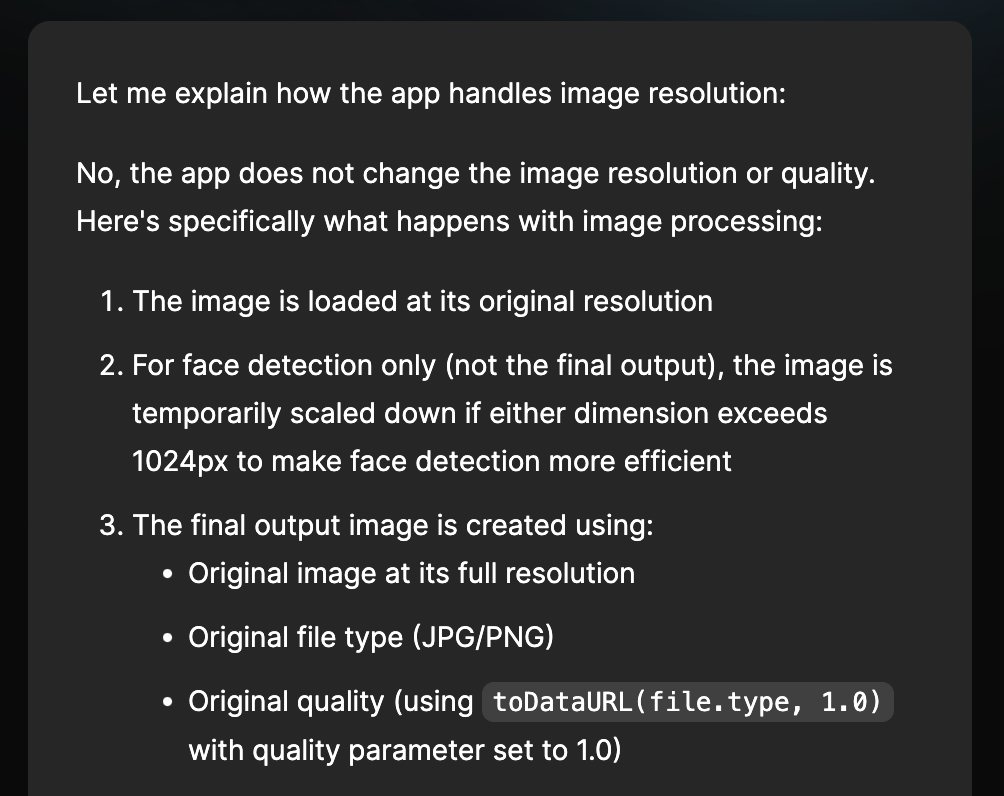
When it comes to Snapchat specifically, the resulting downloadable image might be of lower quality than the raw image file due to compression.
I asked Bolt about if our processing approach changes image resolution, and it offered this:
Additionally, there are existing mobile apps that essentially do what I’ve built here, such as EmojiBox:
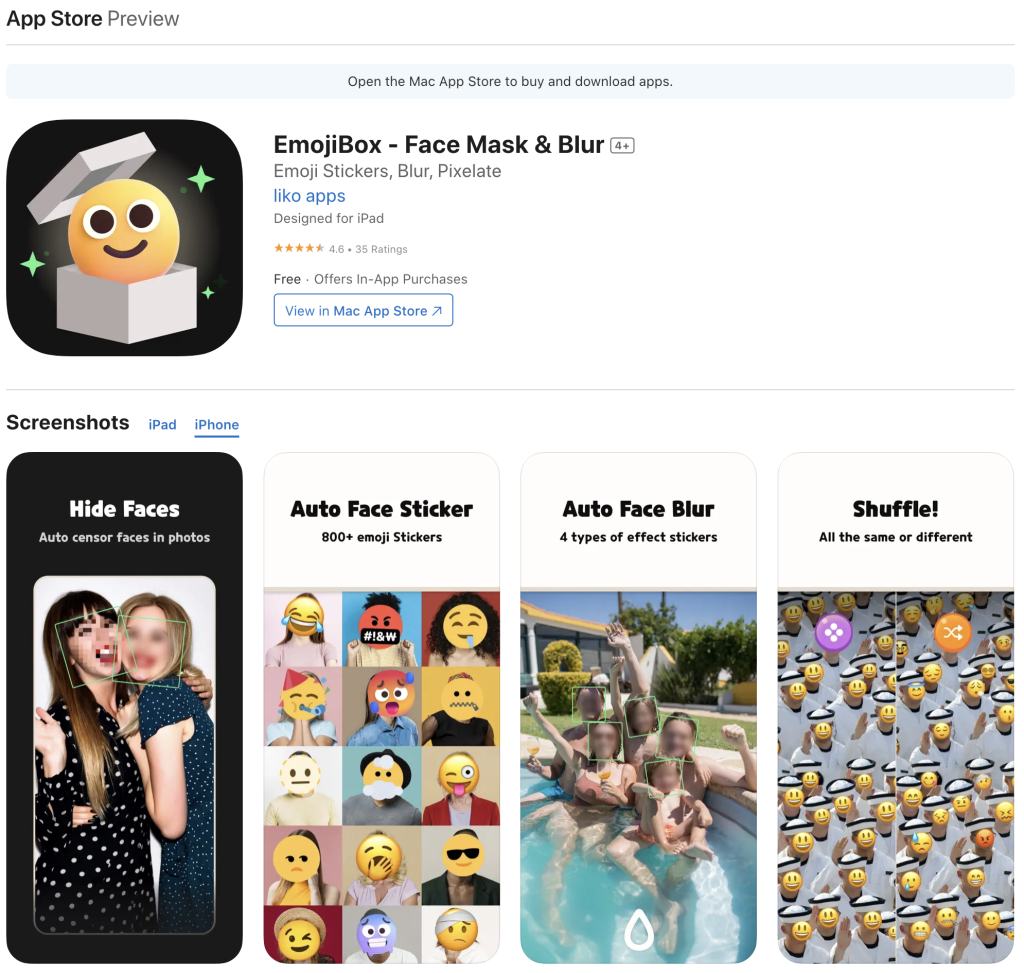
Ultimately, the difference comes down to intent and how they process user information, including uploaded photos.
At any rate, now that I have a working tool, I can use it repeatedly — making it more efficient in the long run.
No-code and AI coding tools have empowered techy non-developers like me to turn ideas into working tools.
They promise:
If an ideal tool doesn’t exist, you can build one yourself.
How You Can Use The Face Detector Emoji App
- Visit the Emoji Face Detector Web App.
- Choose an emoji (or use the default one).
- Upload the images you want to bulk process.
- After images are uploaded, the app detects faces automatically and applies your chosen emoji over the face.
- Toggle face detection zones if desired.
- Download the processed images individually or as a bulk download.
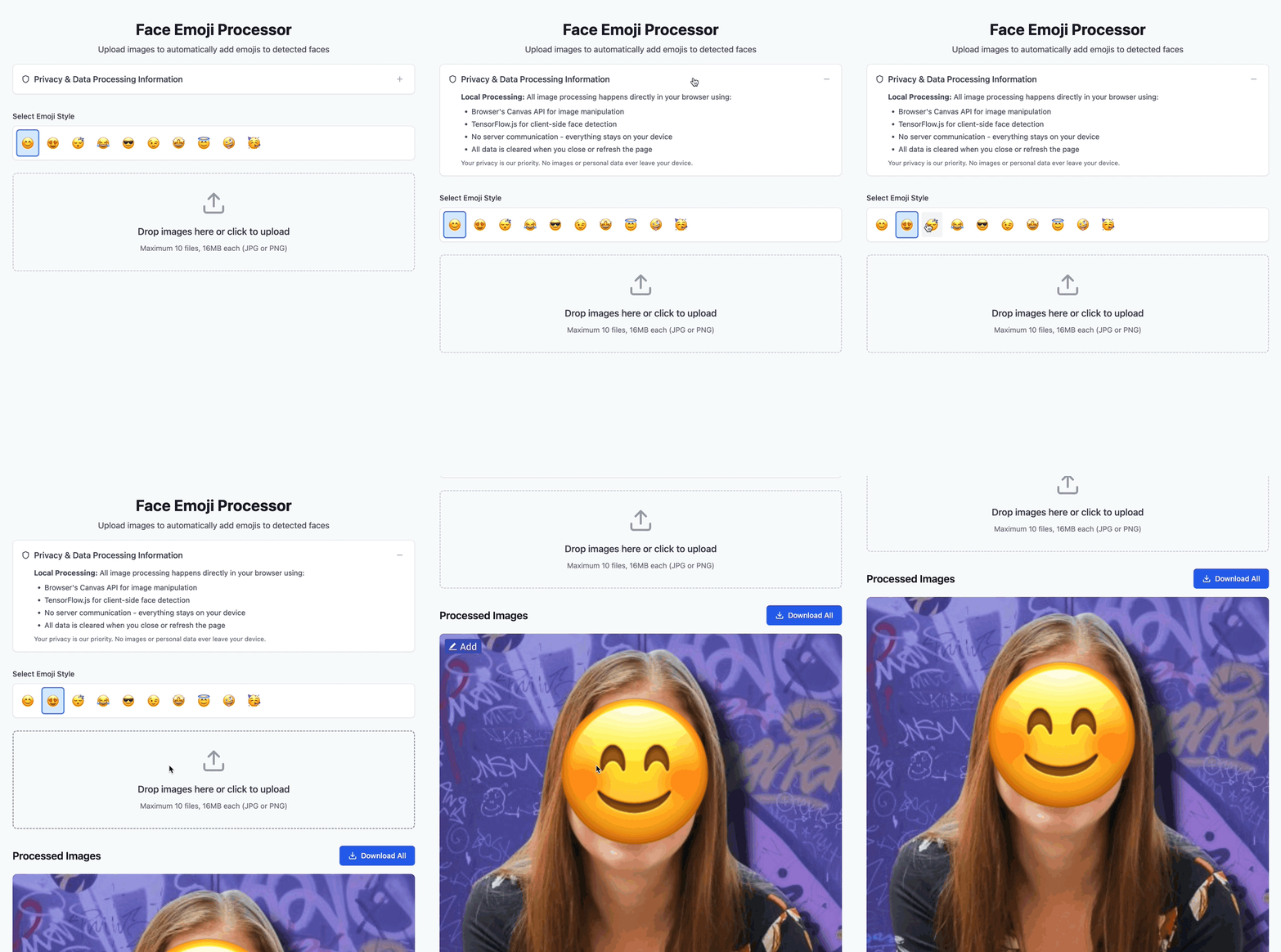
I encourage you to give it a try and leave a comment with any feedback.
If you encounter issues, describe what you were trying to do in the comments so I can try to replicate the situation and improve the tool.
Final Thoughts: How AI Coding Tools Can Create Parenting Efficiencies
This project wasn’t just about coding for me. It was about using AI to create efficiencies in parenting and about my love of building something new.
Even if you don’t know much code, a logic-based approach, a curiosity to learn and experiment, and no-code AI tools like Replit, Bolt, and v0 can empower you to build your ideal tools for work and life.
Approachable learning resources like Replit’s 100 Days of Code and Coursera offer free resources from knowledgeable instructors that can help you fill knowledge gaps
More importantly, this project reflects a larger shift: parents are taking control of their children’s digital footprints. Whether you use my tool or another method, I encourage you to think critically about privacy when sharing images online.
Leave a Reply